 Vault
Encrypted on your device
AES-256-GCM with a fresh nonce for every write. Keys are derived in the browser and never cross the network.
The parts of a password manager you reach for every day, each one built so that the server never learns what you store.
AES-256-GCM with a fresh nonce for every write. Keys are derived in the browser and never cross the network.
Not just passwords. Entry names, usernames, websites, notes and tags are all encrypted, so a stolen database does not even list which sites you use.
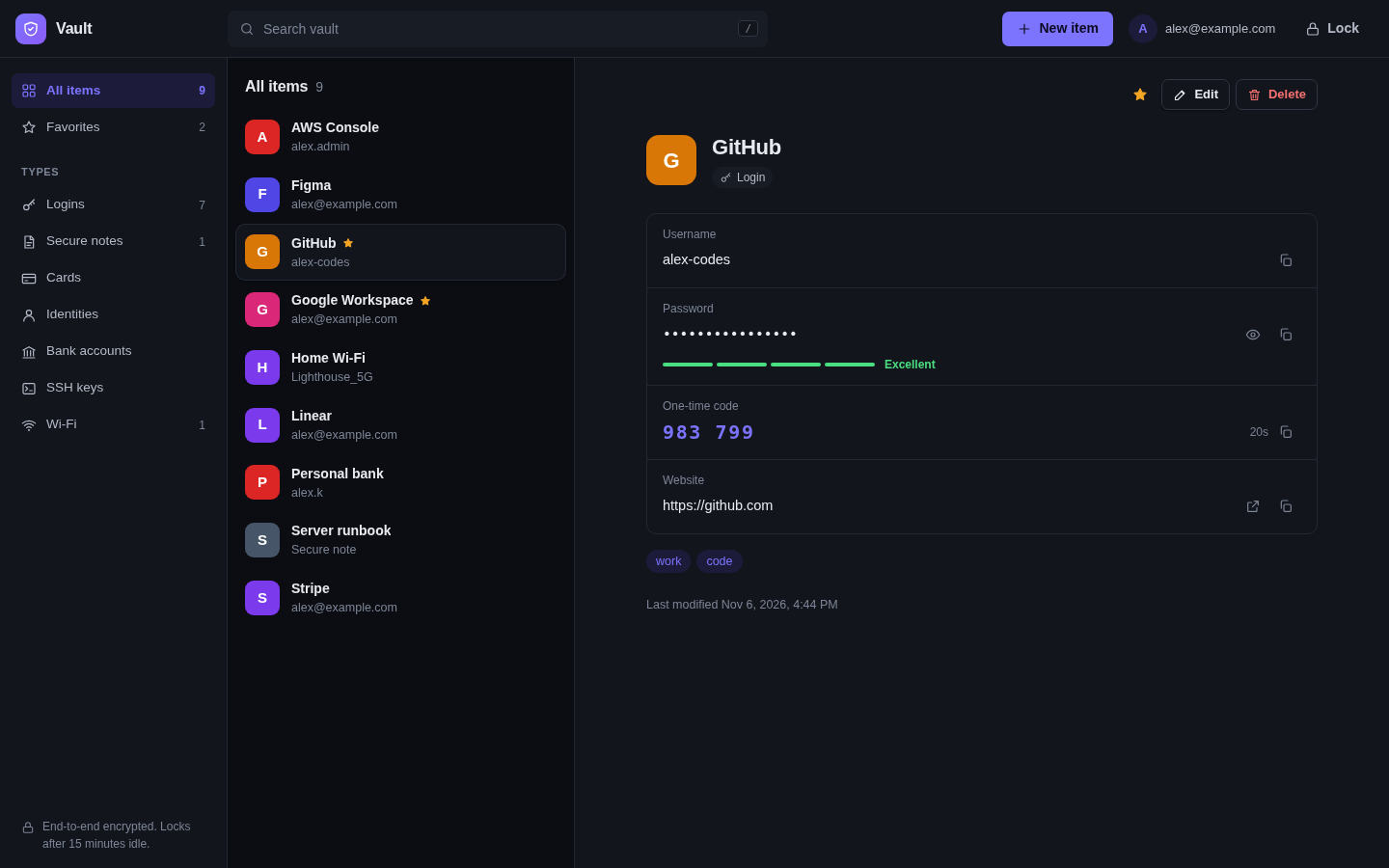
Store authenticator keys alongside the login they belong to and get live one-time codes, generated locally to the RFC 6238 standard.
A generator drawing from the browser's cryptographic random source, with a strength meter on every password you save.
Copy a username, password or code in one click. Secrets are cleared from the clipboard after thirty seconds.
Keys live in memory only — never in browser storage or cookies. Close the tab, reload, or step away for fifteen minutes and the vault is locked.
Your whole vault is decrypted in memory once you unlock it, so search and filtering are instant — and happen entirely on your device. The server could not search your vault if it tried.
Passwords drawn from the browser's cryptographic random source with no bias between characters. Choose the length and character sets.
Every saved password shows a strength meter, so weak ones stand out when you open them.
Entries get a coloured initial instead of a website icon. Fetching icons would tell a third party which sites you use.
Follows your system theme, with a layout designed for both rather than one inverted from the other.
Three panes on a desktop, two on a tablet, one on a phone. Nothing to install — it runs in the browser.
Keys never touch browser storage. Reloading, closing the tab, or fifteen idle minutes locks the vault.
Open your vault in the browser. Nothing to install.